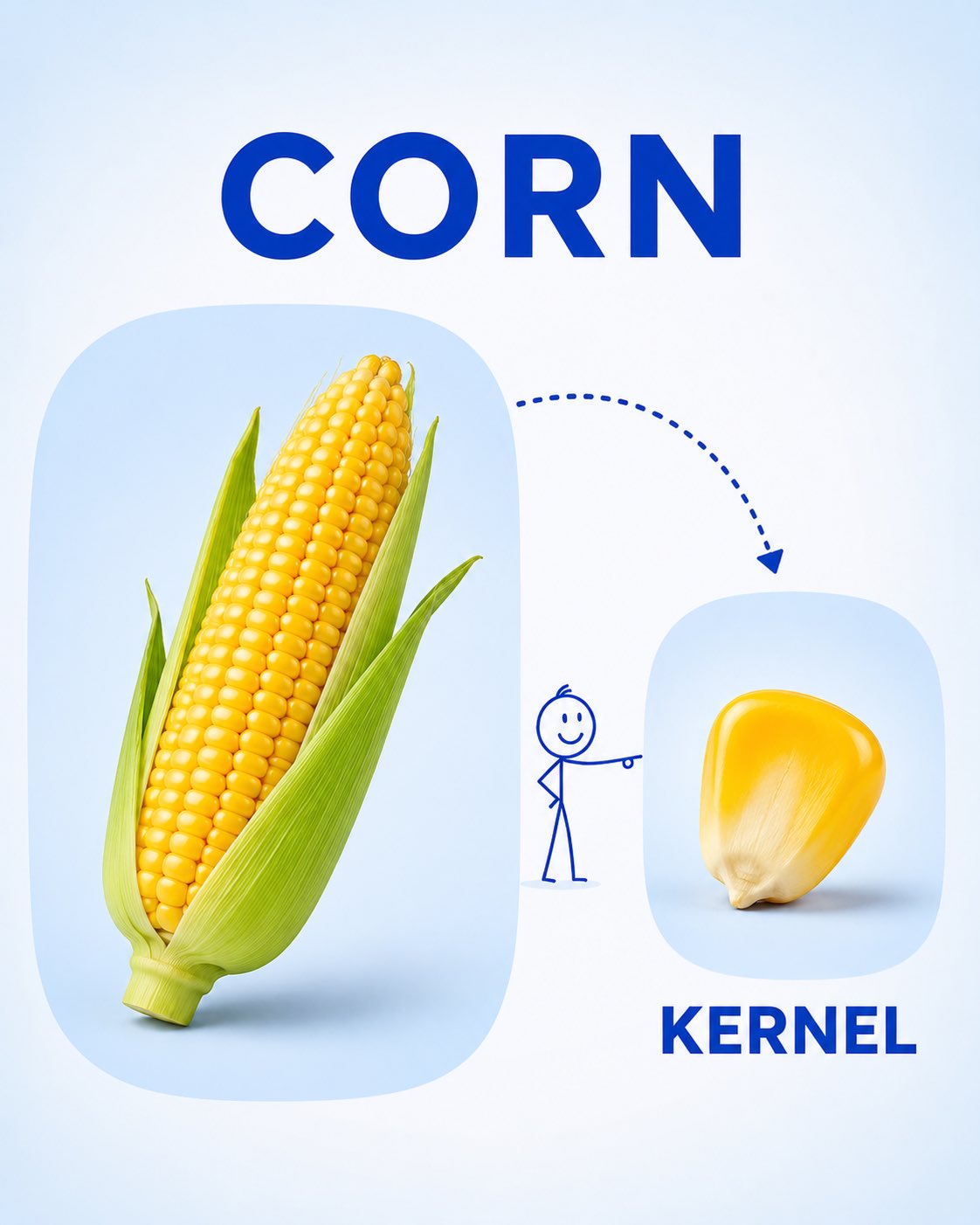
幼儿词汇拆解学习卡
完整提示词
Create a clean, child-friendly educational vocabulary poster for preschool/kindergarten children, inspired by a simple visual learning card.

Feature [FRUIT] as the main large realistic object on the left, and show a [PART / SLICE / SEGMENT] of the same fruit on the right. Connect the two with a playful dotted curved arrow and a tiny simple stick-figure child pointing toward the smaller part.

Add the word “[FRUIT NAME]” in large bold uppercase letters at the top and “[PART NAME]” in large bold uppercase letters underneath the smaller image. Use a soft white and very light pastel-blue background, rounded image panels, clean spacing, realistic fruit photography, simple blue typography, and minimal playful illustrations.

The overall design should feel bright, educational, modern, uncluttered, and easy for young children to understand, like a premium preschool vocabulary learning card. Vertical 4:5 composition, high resolution, soft lighting, clear labels, no unnecessary decorations.
使用前替换这 4 个变量:
- FRUIT
- PART / SLICE / SEGMENT
- FRUIT NAME
- PART NAME

看懂这条提示词
点点逐段翻译生成一张给幼儿看的词汇学习卡:左边一个完整的水果,右边是它切开的一部分,上下各配一个大号英文单词。
逐段在说什么
- 1
Create a clean, child-friendly…定下用途和受众:给学前儿童看的词汇海报,风格干净、友好,像一张简单的看图识字卡。
- 2
Feature [FRUIT] as the main…画面布局:左边放一个大大的写实水果,右边放它的一部分(切片、一瓣),中间用虚线弧形箭头连起来,再加一个小火柴人指向右边。
- 3
Add the word…文字和配色:顶部写水果名,小图下面写部分的名称,都是粗体大写字母;白底加很浅的粉蓝色,圆角图框,蓝色字体。
- 4
The overall design should feel…整体感觉和规格:明亮、简洁、适合小朋友;竖版 4:5、高清、柔和光线,不要多余装饰。
可以替换的部分
- [FRUIT]要教的水果,用英文写,比如 an orange
- [PART / SLICE / SEGMENT]这个水果的一部分,比如 a segment(一瓣)、a slice(一片)
- [FRUIT NAME]顶部大字,比如 ORANGE
- [PART NAME]小图下方的字,比如 SEGMENT
小贴士换成别的物品也能用,比如「面包 / 一片」「西瓜 / 一块」。中文卡片可以把单词改成中文,但图片模型写中文偶尔会出错,记得逐字检查。
来源
- 收录自
- Awesome GPT Image 2MIT 协议
提示词与效果图版权归原作者所有,本站仅作学习参考;标题、分类与变量说明由灵点AI 翻译整理。如需调整署名或删除,请邮件 seadxiao@gmail.com。