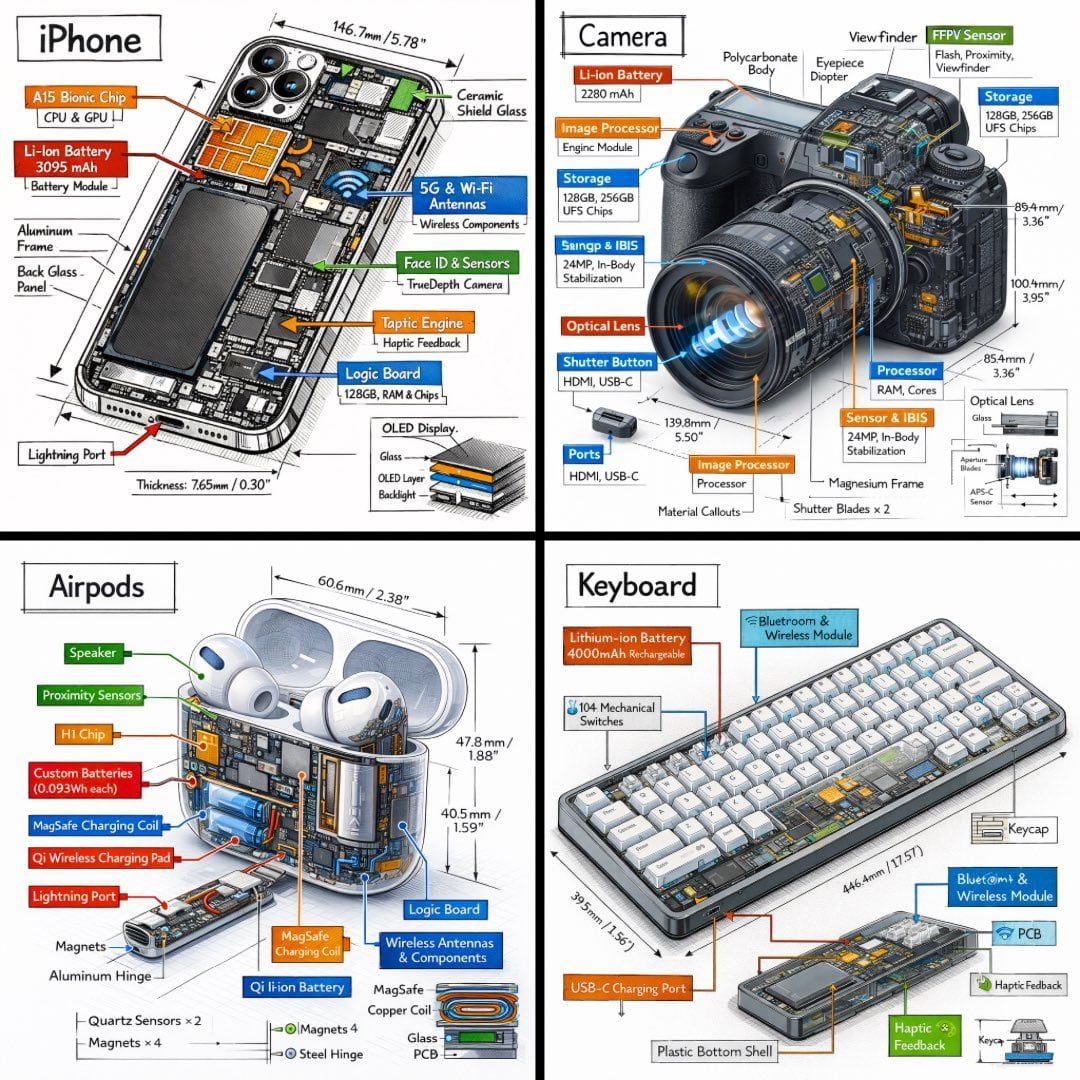
等轴测技术拆解信息图
完整提示词
Create a technical infographic of [OBJECT] with a 45-degree isometric 3D perspective showing the device slightly tilted to reveal depth and dimension.
Combine a realistic photoreal render with black ink technical annotations on pure white background. Include:
Key component labels with color-coded callout boxes
Internal component visibility through transparent/cutaway sections
Measurements, dimensions, and precise scale markers
Material callouts and quantities
Color-coded arrows for function/flow: RED (power/battery), BLUE (data/connectivity), ORANGE (thermal/processor), GREEN (sensors/haptics)
Simple schematics or cross-sectional diagrams where relevant

Place “OBJECT” title in a hand-drawn technical box (top-left corner).
Style: Black linework (technical pen/architectural), sketched but precise. Object remains clearly visible. Educational museum-exhibit vibe. Clean composition, balanced negative space.
Perspective: Isometric 3D angle—tilted to show depth, dimension, and internal architecture dramatically. Like a professional product teardown or engineering manual.
Colors: ~10-15% accent density. Black dominant. White background.
Output: 1080×1080, ultra-crisp, social-feed optimized.
使用前替换这 1 个变量:
- OBJECT

看懂这条提示词
点点逐段翻译生成一张等轴测技术拆解信息图:把一个物品以 45 度立体角度展示,配上剖面、尺寸、材料标注和彩色功能箭头。
逐段在说什么
- 1
Create a technical infographic of [OBJECT]…主体:45 度等轴测视角展示一个物品,稍微倾斜以显出立体感。
- 2
Combine a realistic photoreal render…内容:写实渲染加黑色钢笔技术标注,白色背景;包括部件标签、透明或剖开的内部结构、尺寸刻度、材料说明、简单原理图。
- 3
Color-coded arrows…彩色箭头:红色表示电源和电池,蓝色表示数据和连接,橙色表示散热和处理器,绿色表示传感器和震动。
- 4
Place "OBJECT" title… Style… Output标题和风格:左上角手绘技术框里写物品名;黑色线条为主,彩色只占 10% 到 15%,像博物馆展板或工程手册;1080×1080 正方形。
可以替换的部分
- [OBJECT]要拆解的物品,比如 a mechanical keyboard、a coffee machine;注意标题里的 "OBJECT" 没有方括号,也要一起换
小贴士电子产品效果最好,因为彩色箭头的分类是按电子设备设计的。换成其他物品时,可以把箭头分类改成适合它的,比如咖啡机用「水路 / 加热 / 蒸汽」。
来源
- 原作者
- @TechieBySA
- 热度
- X 上 ❤ 3,567 · 浏览 16.0 万 · 2026-02-01
- 收录自
- NanoBanana Trending PromptsCC BY 4.0 协议
提示词与效果图版权归原作者所有,本站仅作学习参考;标题、分类与变量说明由灵点AI 翻译整理。如需调整署名或删除,请邮件 seadxiao@gmail.com。